Basic, Free
Core Activity Logs for 1 site, recording recent logins, edits, and key changes out of the box.

Activity Logs records every meaningful action on your site: logins, content edits, plugin and theme changes, settings tweaks, and user management. It's the accountability your team and clients need, and the forensic record you'll want the moment something goes wrong.
Activity Logs is a WP Tailwatch feature that records a full audit trail of WordPress user and site activity, logins, content edits, plugin and theme changes, settings changes, and user management. It captures who did what and when, giving teams accountability and a forensic record after any incident.
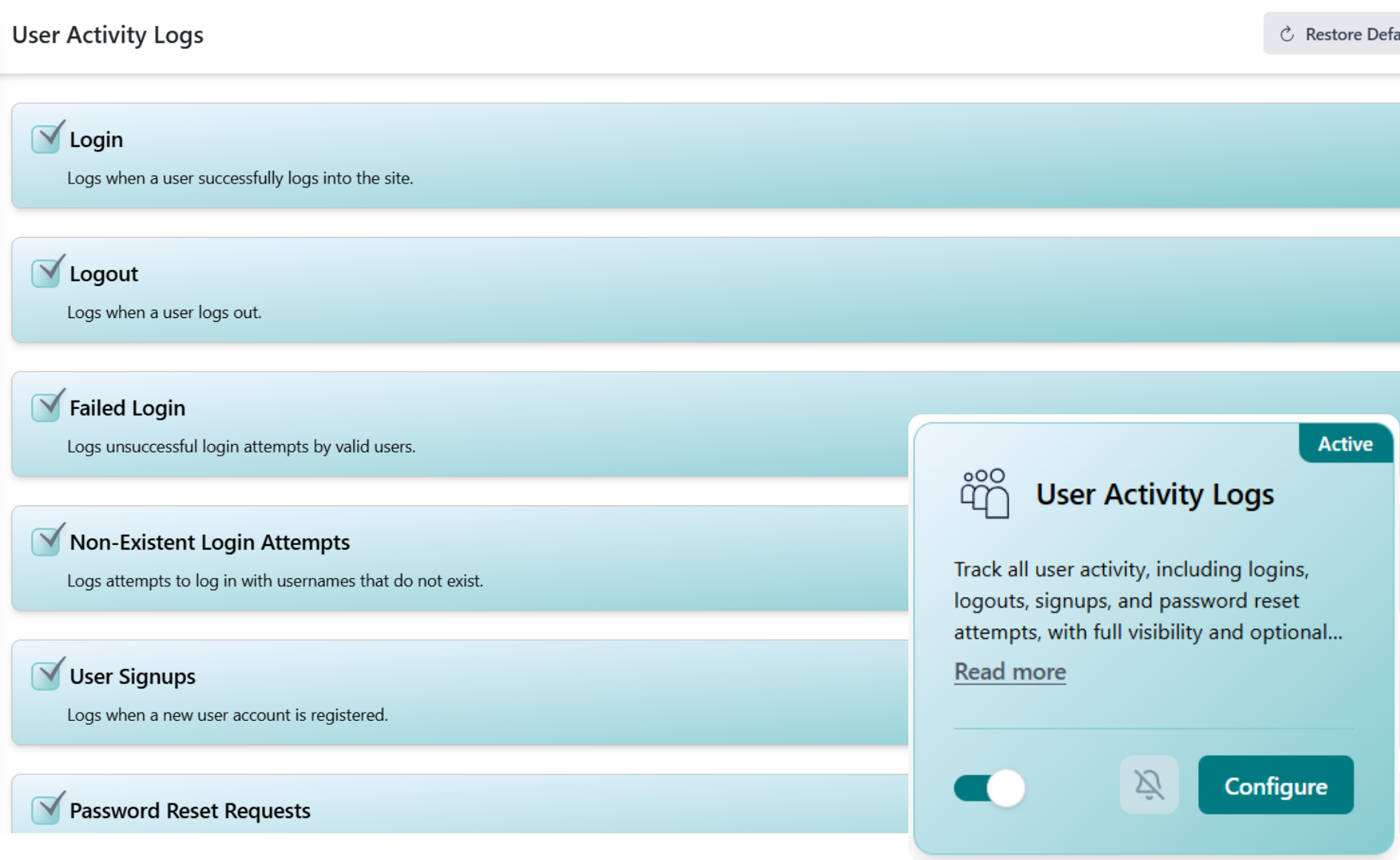
When multiple people touch a WordPress site, things change, and without a record, you're left guessing who broke what. Activity Logs writes down every meaningful event so there's always a clear, time-stamped answer.
Every event is captured with the user, timestamp, and IP, then written to a searchable trail you can open the moment you need answers. No setup and no manual logging on your part.
Whenever someone logs in, edits content, changes a plugin, or updates a setting, Activity Logs records it with the user, timestamp, and IP address.
Events are written to a searchable, filterable trail so you can sort by user, action type, or date, across every site you manage from one dashboard.
Need accountability or a forensic record? Open the log to see exactly what happened, in order, perfect for client reporting or incident response.
WordPress runs roughly 43% of all websites, and the more people who touch a site, editors, freelancers, agencies, clients, the harder it is to know who changed what. Source: W3Techs CMS usage statistics. Without a record, a missing page, a flipped setting, or a compromised account becomes a guessing game.
Activity Logs removes the guesswork. By recording who did what and when, it gives teams day-to-day accountability and gives you a forensic trail when an incident hits, so you can reconstruct events, contain the damage, and prove what happened. That's the WP Tailwatch approach: a clear record, always on, across every site.
Start tracking activity for free, scale retention and filtering across every site you manage.
Core Activity Logs for 1 site, recording recent logins, edits, and key changes out of the box.
Extended history, search, and filtering by user, action, and date for 1-20 sites, paired with the full WP Tailwatch security suite.
Audit trails across 21-1,000 sites with tiered volume pricing and one dashboard for your whole portfolio.
Activity Logs pairs with the rest of WP Tailwatch, replacing 23+ separate plugins with one platform.
Activity Logs keeps a detailed audit trail of everything that happens on your WordPress site, who logged in, what content was edited, which plugins or themes changed, and which settings were touched. It records who did what and when, so you always have accountability and a record to review.
It records logins, logouts, and failed login attempts; post and page edits, publishes, and deletions; plugin and theme installs, updates, and removals; settings and configuration changes; and user management actions like new accounts, role changes, and deletions, each stamped with the user, time, and IP.
An audit trail gives teams and clients accountability and gives you a forensic record after an incident. If a setting changes, content disappears, or a site is compromised, the log shows exactly who did what and when, so you can investigate fast instead of guessing.
Yes. Activity Logs is fully available now as part of WP Tailwatch, there is no waitlist or beta. Core activity logging is included on the free Basic plan, with full history and filtering on the Business and Agency plans.
A standalone audit log plugin only records activity. Activity Logs is one of 23+ tools in WP Tailwatch, so you replace a single-purpose plugin and dozens of others with one platform, and you view logs alongside firewall, login, and error data from the same mobile app and cloud dashboard.
Yes. Every entry is tied to the user account, timestamp, and IP address that triggered it. You can filter the log by user, action type, or date to pinpoint exactly who edited a post, installed a plugin, or changed a setting.
Yes. After a suspicious event, the audit trail is your forensic record, it shows the sequence of actions leading up to and after the incident. It works alongside WP Tailwatch's Login Defender and Error Logs to help you trace, contain, and respond to a compromise.
Yes. From the WP Tailwatch mobile app and cloud dashboard you can review activity for every site you own in one place, which is ideal for agencies and teams that need accountability across many WordPress installs.
The free Basic plan keeps a core window of recent activity, while the Business and Agency plans extend retention and add full search and filtering, so you can go back further to investigate trends or reconstruct what happened before an incident.
Record every login, edit, and change with a full WordPress audit trail, accountability for your team and a forensic record when you need it. Start free today.