Basic, Free
Core Role-Based 2FA for 1 site, with TOTP enforcement for admins out of the box.

Role-Based 2FA lets you require two-factor authentication exactly where it counts, mandatory for administrators and editors, optional for subscribers. Powerful accounts get TOTP-protected logins, while low-risk users stay friction-free.
Role-Based 2FA is a WP Tailwatch feature that requires two-factor authentication based on WordPress user role. You can make TOTP 2FA mandatory for high-privilege roles like administrators and editors while keeping it optional for subscribers, so your most powerful accounts are protected against takeover without friction for everyone.
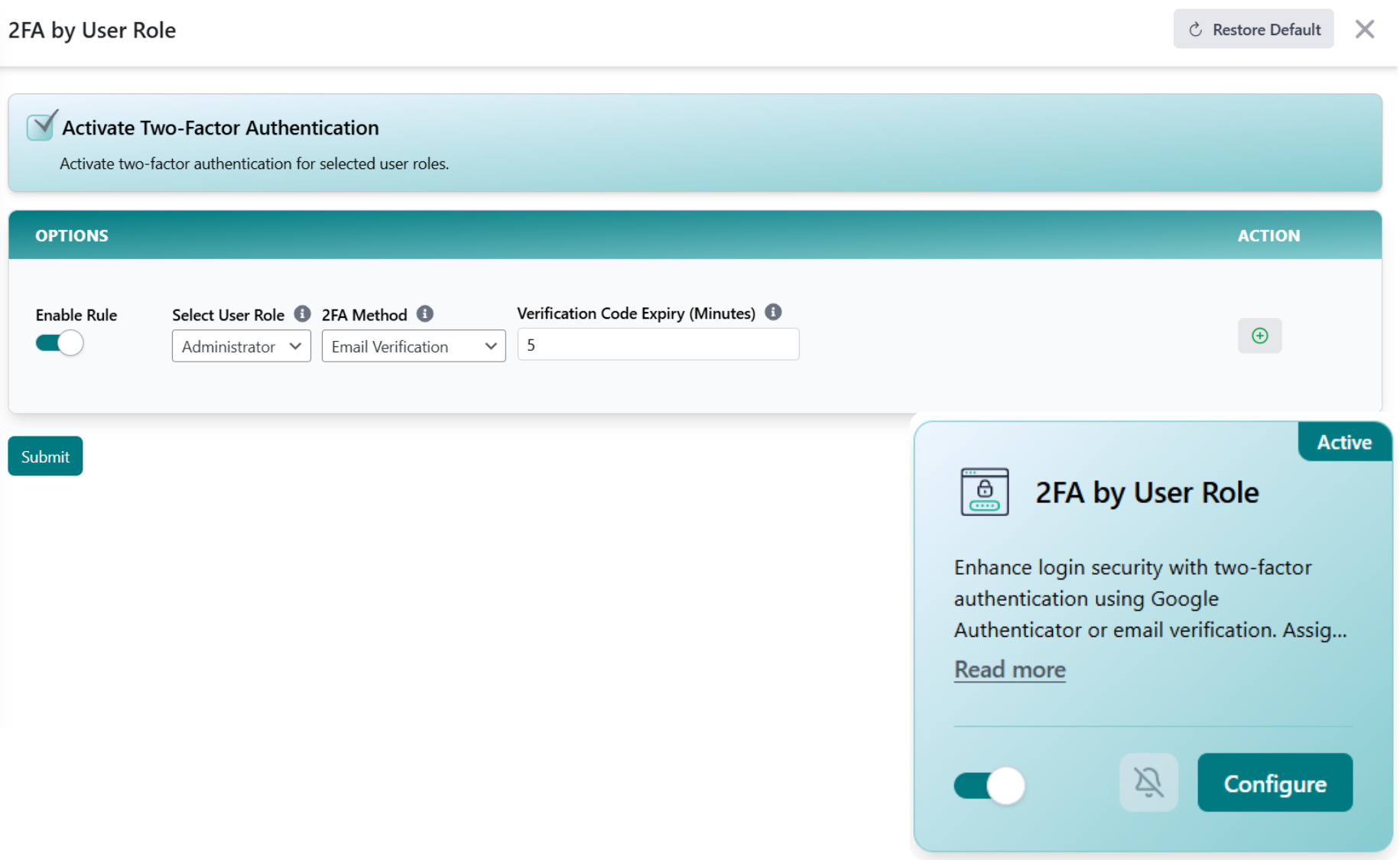
Not every account is equally dangerous if it's compromised. Role-Based 2FA lets you enforce two-factor authentication per role, locking down admins and editors with TOTP codes while leaving optional 2FA for low-risk users.
Choose which roles must use 2FA, users enrol on their next login, and every admin and editor account is covered without adding friction for subscribers.
Choose which WordPress roles must use 2FA. Make it mandatory for administrators and editors, and leave it optional for subscribers or any low-risk role.
Affected users scan a QR code into an authenticator app once. From then on their account generates rotating TOTP codes tied to their device.
At sign-in, covered roles must enter their password and a valid TOTP code. A stolen password alone is no longer enough to get in.
WordPress runs roughly 43% of all websites, which makes its login pages a constant target for credential-stuffing and brute-force attacks using stolen or weak passwords. Source: W3Techs CMS usage statistics. When a high-privilege account is taken over, an attacker can install malware, add rogue admins, or deface the entire site in seconds.
Two-factor authentication shuts that door, but forcing it on every subscriber adds friction without much benefit. Role-Based 2FA puts the strongest protection on the accounts that can do the most damage and keeps low-risk logins simple. That's the WP Tailwatch approach: security that's proportional to the risk, managed from one place.
Start enforcing 2FA for free, scale policies across every site you manage.
Core Role-Based 2FA for 1 site, with TOTP enforcement for admins out of the box.
Per-role policies, custom-role support, and central enrollment management for 1-20 sites, paired with the full WP Tailwatch security suite.
Consistent 2FA policies across 21-1,000 sites with tiered volume pricing and one dashboard for your whole portfolio.
Role-Based 2FA pairs with the rest of WP Tailwatch, replacing 23+ separate plugins with one platform.
Common questions about enforcing two-factor authentication by user role across your WordPress sites.
Role-Based 2FA lets you require two-factor authentication based on a user's WordPress role. You can make 2FA mandatory for high-privilege roles like administrators and editors while leaving it optional for subscribers, so your most powerful accounts get the strongest protection.
Role-Based 2FA uses TOTP, time-based one-time passcodes from authenticator apps such as Google Authenticator, Authy, or 1Password. Users scan a QR code once, then enter the rotating six-digit code at login alongside their password.
Different roles carry different risk. An administrator can change anything on your site, while a subscriber can barely do more than comment. Requiring 2FA by role lets you enforce strong protection where it matters most without adding friction for low-risk accounts.
Yes. Role-Based 2FA is fully available now as part of WP Tailwatch, there is no waitlist or beta. Core role-based 2FA is included on the free Basic plan, with full policy controls on the Business and Agency plans.
A standalone 2FA plugin only handles login codes. Role-Based 2FA is one of 23+ tools in WP Tailwatch, so you replace a single-purpose plugin and dozens of others with one platform that also covers firewall, monitoring, backups, and malware removal.
Yes. Even if an attacker has a valid password from a leak or phishing attempt, they cannot log in without the rotating TOTP code on the user's device. Requiring 2FA for admins and editors blocks the most damaging takeovers.
An administrator can reset a user's 2FA enrollment so they can re-register a new device. Because policy is managed centrally in WP Tailwatch, you stay in control of who has 2FA enabled and can recover locked-out accounts safely.
Yes. Role-Based 2FA recognizes your WordPress roles, including custom roles created by plugins like membership or LMS tools, so you can apply mandatory or optional 2FA policies to exactly the roles you choose.
Yes. From the WP Tailwatch mobile app and cloud dashboard you can set and review Role-Based 2FA policies for every site you own in one place, which is ideal for agencies enforcing consistent security across many WordPress installs.
Require TOTP two-factor authentication for admins and editors, keep low-risk logins simple, and manage it all from one dashboard. Start free today.