Basic, Free
Manual, on-demand database cleanup for 1 site. Clear revisions, transients, spam, and orphaned data whenever you choose.

Database Optimizer clears out the junk that piles up in WordPress, old post revisions, expired transients, spam, and orphaned data, then optimizes your tables so queries run faster. Clean it once by hand, or let it run on a schedule.
Database Optimizer is a WP Tailwatch feature that cleans your WordPress database, removing post revisions, expired transients, spam, trashed items, and orphaned metadata, then optimizes and defragments the tables to speed up your site. It runs manually on the free plan and on an automatic schedule on the Business and Agency plans.
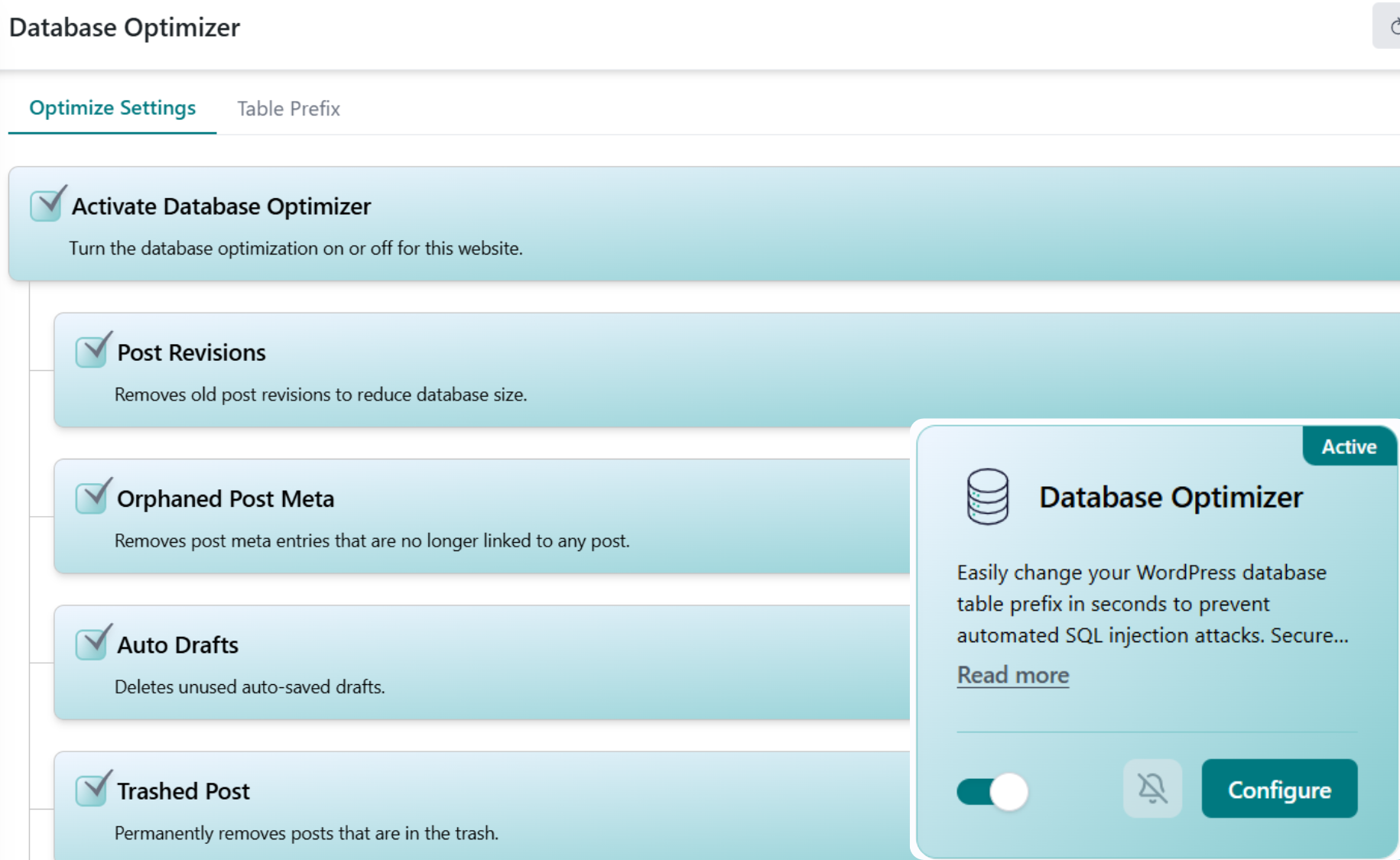
Every WordPress site quietly accumulates database bloat, revisions, expired transients, spam, and leftover rows from deleted content. Database Optimizer sweeps it all out and then optimizes your tables so MySQL does less work on every page load.
You do not need a developer or a database tool to keep WordPress fast. Scan, clean, and optimize from your phone or dashboard, once by hand or on a schedule you set.
Database Optimizer inspects your database and reports exactly what's safe to remove, post revisions, auto-drafts, expired transients, spam comments, and orphaned metadata rows.
With a tap, the junk is removed while every published post, page, setting, and media file stays untouched, only the disposable data is cleared away.
The tables are optimized and defragmented to reclaim wasted space, so MySQL scans fewer rows and your pages generate faster, manually or on a schedule.
WordPress powers around 43% of all websites on the internet, which means an enormous number of sites are quietly running on databases that grow heavier every day. Source: W3Techs CMS usage statistics. Every edit you save spawns post revisions, plugins leave behind expired transients in the wp_options table, comment spam piles up, and deleting content can strand orphaned metadata and even orphaned tables, all of which MySQL still has to wade through on every query.
Over time that overhead shows up as slower admin screens, sluggish page loads, and higher server load. Database Optimizer closes that gap by clearing the junk and defragmenting your tables, so your database stays lean and your queries stay fast. That is the WP Tailwatch difference: maintenance that actually keeps your site quick, not just another plugin to manage.
Start cleaning your database on the free plan at no cost. Upgrade when you want hands-off, scheduled optimization running quietly across every site you manage.
Manual, on-demand database cleanup for 1 site. Clear revisions, transients, spam, and orphaned data whenever you choose.
Full Database Optimizer with scheduled automatic cleanups and table optimization for 1-20 sites. The hands-off option.
Scheduled optimization across 21-1,000 sites with tiered volume pricing and one dashboard for your whole portfolio.
Database Optimizer pairs with the rest of WP Tailwatch to replace 23+ separate plugins, so speed, backups, and security all live in one place.
Still deciding whether to clean your database yourself or let WP Tailwatch handle it? These are the questions we hear most about what gets removed, what stays safe, and how scheduling works.
Database Optimizer removes the data that bloats your WordPress database over time: post revisions, auto-drafts, trashed posts and pages, expired transients, spam and trashed comments, and orphaned metadata left behind by deleted content. After clearing this junk, it optimizes and defragments your database tables so queries run faster.
No. Database Optimizer only removes disposable data such as old revisions, expired transients, spam comments, and orphaned rows, it never touches your published posts, pages, settings, or media. Your live content stays exactly as it is while the database is cleaned and optimized.
WP Tailwatch pairs Database Optimizer with Backup Vault, so you can take a full backup before any cleanup runs. We recommend backing up first, and on paid plans you can schedule a backup to run ahead of each automatic optimization for extra peace of mind.
A bloated database forces MySQL to scan through thousands of unnecessary rows, old revisions, expired transients, and orphaned metadata, on every query. By removing that junk and defragmenting the tables, Database Optimizer shrinks the database and lets queries return faster, which reduces page generation time and server load.
Yes. On the Business and Agency plans you can schedule Database Optimizer to run automatically, for example weekly or monthly, so your database stays lean without you remembering to do it. The free Basic plan runs cleanups manually, on demand, whenever you choose.
Yes. On the free Basic plan, Database Optimizer runs as a manual, on-demand cleanup that you trigger yourself. Scheduled automatic optimization is included on the paid Business and Agency plans.
Database Optimizer cleans and optimizes the core WordPress tables that accumulate the most bloat, including wp_posts, wp_postmeta, wp_options, wp_comments, and wp_commentmeta, and runs an OPTIMIZE TABLE pass to defragment them and reclaim wasted space. Custom plugin tables that build up overhead can also be optimized.
Yes. Post revisions are one of the biggest sources of database bloat, and Database Optimizer clears them along with auto-drafts. It also deletes expired transients, temporary cached values that often linger in the wp_options table long after they should have expired.
Yes. From one WP Tailwatch dashboard you can run or schedule Database Optimizer across every site you manage, so cleaning and optimizing the database for a whole portfolio takes a few taps instead of logging into each site individually.
Yes. Database Optimizer does the job of a separate database cleanup plugin like WP-Optimize, so you don't need an extra plugin slowing down your install. WP Tailwatch consolidates this and replaces 23+ separate plugins inside one platform.
Clear the bloat, optimize your tables, and schedule it to run on its own, all from one dashboard. Start free today.