
5 Must-Have Features Every WordPress Security Tool Should Have in 2026
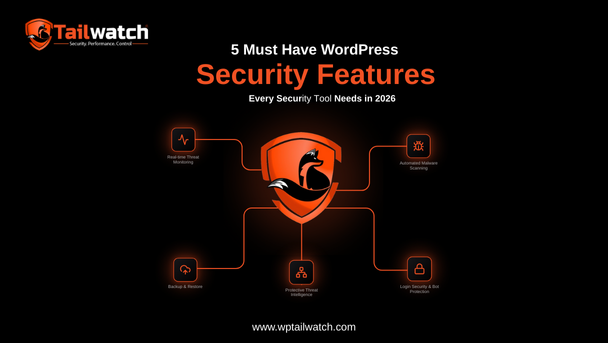
A WordPress security tool worth paying for in 2026 must do five things: automatically remove malware (not just detect it), run a real firewall, send real-time alerts you'll actually see, take backups with one-click rollback, and let you manage every site from your phone. If a tool only "notifies" you, it's already behind.
WordPress powers a huge share of the web, which makes it the single most attacked CMS on the planet. Shopping for a security tool, though, is confusing: every product claims to do "everything," and feature lists blur together. So here's a clean buyer's framework, five capabilities that actually separate a tool that protects your site from one that just reports on its downfall.
WordPress runs roughly 43% of all websites, according to W3Techs, which is precisely why it attracts a disproportionate share of automated attacks. Source: W3Techs CMS usage statistics
1. Automatic malware removal, not just detection
This is the dividing line. Plenty of tools scan and find malware, then hand you a list and wish you luck. But detection without removal just means you find out you're hacked faster, your site is still infected, still serving malware to visitors, still risking a Google blocklist.
The feature you actually want: a tool that detects an infection, cleans the affected files and database automatically, and redeploys clean code without downtime. Cleanup at 3 a.m. shouldn't require you to be awake. WP Tailwatch's AI Malware Guard does exactly this, remediation, not just a red alert.
2. A real firewall (a WAF), not just login limits
"Login protection" is table stakes, but it's a small slice of the threat. Most attacks target plugin and theme vulnerabilities, malicious bots, and bad request patterns, none of which a login limiter stops.
A proper web application firewall sits in front of your site and blocks known exploit attempts, abusive bots, SQL injection, and REST/XML-RPC abuse before they ever reach WordPress. Look for:
- Rules updated continuously as new vulnerabilities are disclosed.
- Geo-blocking and rate-limiting you can toggle per site.
- Brute-force and credential-stuffing protection layered on top of 2FA.
3. Real-time alerts you'll actually see
An alert that lands in a crowded inbox at midnight and gets read three days later is not security, it's a paper trail. The value of an alert is entirely in how fast it reaches a human who can act.
That's why delivery channel matters as much as the alert itself. A push notification to your phone the instant a login is blocked or malware is found beats an email digest every time. The best tools also tell you what they already did, "malware removed automatically", so the alert is reassurance, not a new chore.
4. Backups with one-click rollback
Security and recovery are two halves of the same job. Even the best-protected site can break, a bad update, a server hiccup, a compromise that slipped through. Backups are your undo button, but only if restoring is genuinely one click.
- Automatic, scheduled backups of files and database.
- Off-site storage so a server failure doesn't take your backups with it.
- One-click (or one-tap) restore and rollback, the moment you need it, not after a support ticket.
5. Multi-site management, ideally from your phone
If you manage more than one WordPress site, per-site dashboards are a tax you pay every single day. The fifth must-have is a single pane of glass: every site's security status, updates, and alerts in one place.
And in 2026, "one place" increasingly means your phone. Incidents don't wait for you to be at a desk. A mobile-first platform lets you approve an update, block an attacker, or restore a crashed site from wherever you are. This is where WP Tailwatch was deliberately built differently, it's mobile-first by design, not a desktop tool with a cramped mobile view bolted on.
Putting the framework to work
Score any tool against these five. The pattern you'll notice: most products nail one or two and quietly drop the rest, which is how site owners end up stacking five plugins to cover the gaps, and inheriting five plugins' worth of conflicts and overhead.
The mobile-first approach exists precisely to collapse that stack. One platform that removes malware, runs the firewall, alerts you in real time, handles backups, and manages every site from your phone isn't just more convenient, it's fewer moving parts to go wrong. If you want to see how the major options stack up against this framework, our comparisons and alternatives break it down honestly.

Get all five, in one platform
Automatic malware removal, a real firewall, real-time alerts, backups with rollback, and mobile multi-site control. Start free.
- Free forever plan
- No credit card
- 14-day money-back on paid plans